
Pocket Softbox1.3 - Google Play
You'll be able to see results in few seconds.
Publisher Description
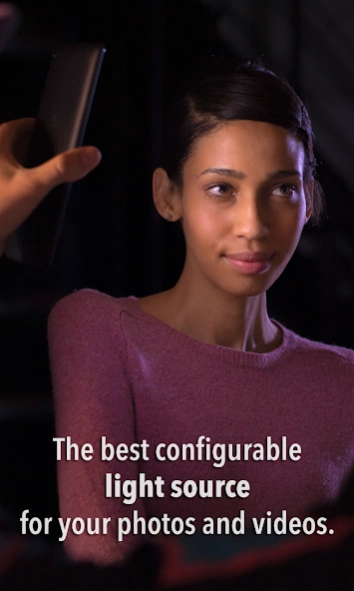
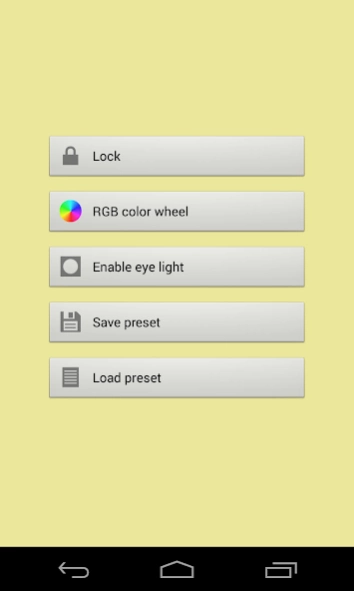

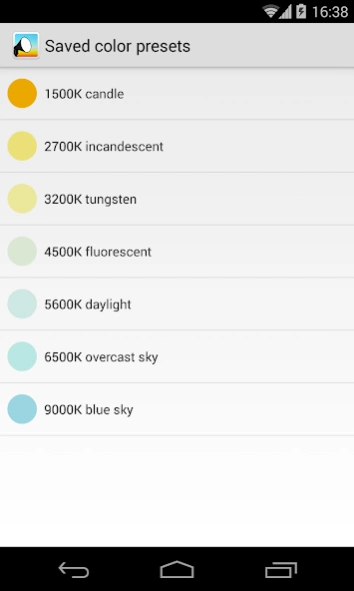
Use your device as a quick light source for photography or video making.
Pocket Softbox provides you a quick and easy light source for photography or video making.
Turn your phone/tablet screen into a colored light source, and use it for your photography or videos in low-light conditions when you can't bring your heavy equipment with you.
The interface is simple and built for speed. Just drag your finger across the screen to change the light color.
Pocket Softbox features two main modes:
★
RGB colors:
all the color spectrum is available, with fully saturated colors near the edge of the screen, and leaning towards white near the center. A tooltip gives you the hex value of the selected color.
★
Kelvin scale:
choose a color from the temperature spectrum, ranging from 1000K to 10000K. A tooltip gives you the approximate Kelvin value of the selected color.
Other functions:
•
Color lock:
lock the screen to prevent accidental color changes.
•
Eye light:
change light shape to a circle if you need a round light in your subject's eyes.
• Save current color as a preset for reusing it in the future.
• 7 color presets already available.
1500K candle light
2700K incandescent lamp 40W
3200K tungsten lamp
4500K fluorescent lamp
5600K daylight
6500K overcast sky
9000K blue sky
Pocket Softbox is developed under the supervision of cinematographer Christian Denslow.
http://vimeo.com/christiandenslow
About Pocket Softbox
The company that develops Pocket Softbox is Pimentoso. The latest version released by its developer is 1.3.
To install Pocket Softbox on your Android device, just click the green Continue To App button above to start the installation process. The app is listed on our website since 2015-12-24 and was downloaded 0 times. We have already checked if the download link is safe, however for your own protection we recommend that you scan the downloaded app with your antivirus. Your antivirus may detect the Pocket Softbox as malware as malware if the download link to com.pimentoso.android.softbox is broken.
How to install Pocket Softbox on your Android device:
- Click on the Continue To App button on our website. This will redirect you to Google Play.
- Once the Pocket Softbox is shown in the Google Play listing of your Android device, you can start its download and installation. Tap on the Install button located below the search bar and to the right of the app icon.
- A pop-up window with the permissions required by Pocket Softbox will be shown. Click on Accept to continue the process.
- Pocket Softbox will be downloaded onto your device, displaying a progress. Once the download completes, the installation will start and you'll get a notification after the installation is finished.
Program Details
System requirements
Download information
Pricing
Version History
version 1.3
posted on 2015-12-24
Removed all ads and internet permissions. App is now less than 1MB.
Disclaimer
Official Google Play Link
We do not host Pocket Softbox on our servers. We did not scan it for viruses, adware, spyware or other type of malware. This app is hosted by Google and passed their terms and conditions to be listed there. We recommend caution when installing it.
The Google Play link for Pocket Softbox is provided to you by apps112.com without any warranties, representations or guarantees of any kind, so access it at your own risk.
If you have questions regarding this particular app contact the publisher directly. For questions about the functionalities of apps112.com contact us.
